Arsany Milad
Retool's PDF component uses fetch() to load files. If your S3 bucket isn't configured for CORS, it fails quietly
Retool's PDF component uses fetch() to load files. Browsers enforce CORS on fetch requests. If your S3 bucket isn't configured to allow requests from Retool's origin, the request gets blocked silently and the component renders nothing. Adding Retool's domain to the bucket's CORS configuration fixes it.
Why does a signed S3 URL load correctly in a browser tab but fail silently inside Retool's PDF component?
Open a signed S3 URL directly in a browser tab and the PDF loads without issue. Drop the same URL into Retool's PDF component and nothing appears. The network tab shows net::ERR_FAILED. There's no error message in the Retool UI. The difference is in how each request reaches S3.
Pasting a URL into the address bar triggers a top-level navigation, and navigation requests aren't subject to CORS enforcement, the browser fetches the resource directly and the S3 response comes back without any origin checks.
When the PDF component loads a file, it calls fetch() internally. Fetch requests are cross-origin requests. The browser sends a preflight first, checks the response headers, and if Access-Control-Allow-Origin isn't present or doesn't include Retool's domain, it blocks the response before the component ever receives it.
The error in the console confirms this:
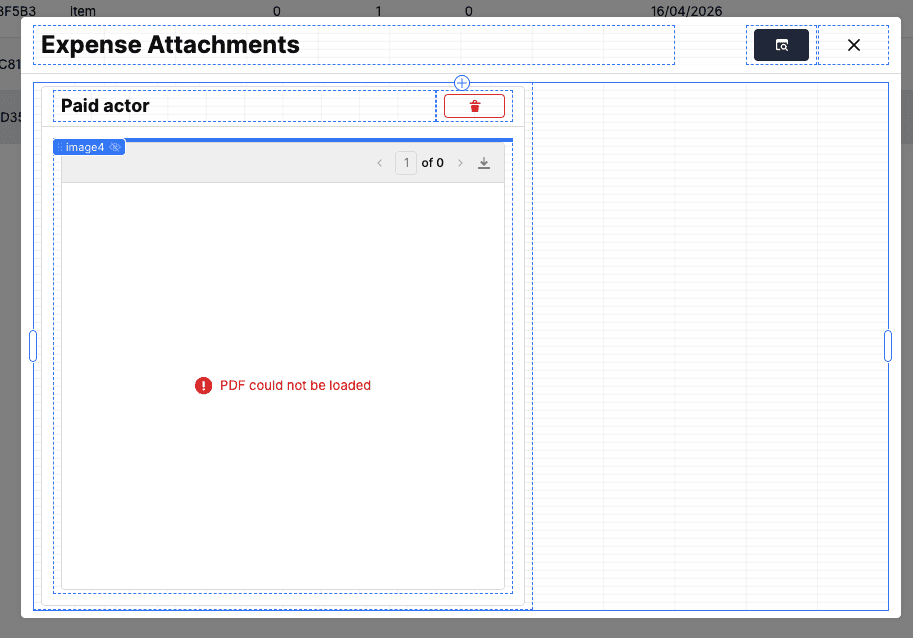
Both the URL and the signature are valid. The bucket just hasn't been told that Retool's domain is allowed to make cross-origin requests to it.
How do you configure S3 CORS to allow Retool's PDF component to load signed URLs?
The fix is a CORS configuration change on the S3 bucket. No IAM changes, no bucket policy edits, no changes to how you generate signed URLs.
Step 1: Open the bucket in AWS
Log into the AWS Console
Navigate to S3
Select the bucket your Retool app is reading from
Go to Permissions
Scroll to CORS configuration
Click Edit
Step 2: Add the CORS configuration
Replace yourapp.retool.com with your specific Retool domain. If you use https://app.retool.com, use that. Do not use wildcards like *.retool.com , that covers every Retool-hosted app across all customers, not just yours.
What each field does:
Field
| Purpose
|
| Tells S3 which domains are permitted to make cross-origin requests
|
| Restricts which HTTP methods those origins can use
|
| Permits the headers Retool includes in its fetch requests
|
| Makes file metadata - content type, disposition, ETag - readable by the browser
|
| Controls how long the browser caches the preflight response (3000 seconds = 50 minutes)
|
Step 3: Save and verify
Save the configuration. In Retool, hard-refresh the browser with Ctrl+Shift+R, not a regular refresh. Open DevTools, go to the Network tab, and reload the PDF component. The S3 response should now include:
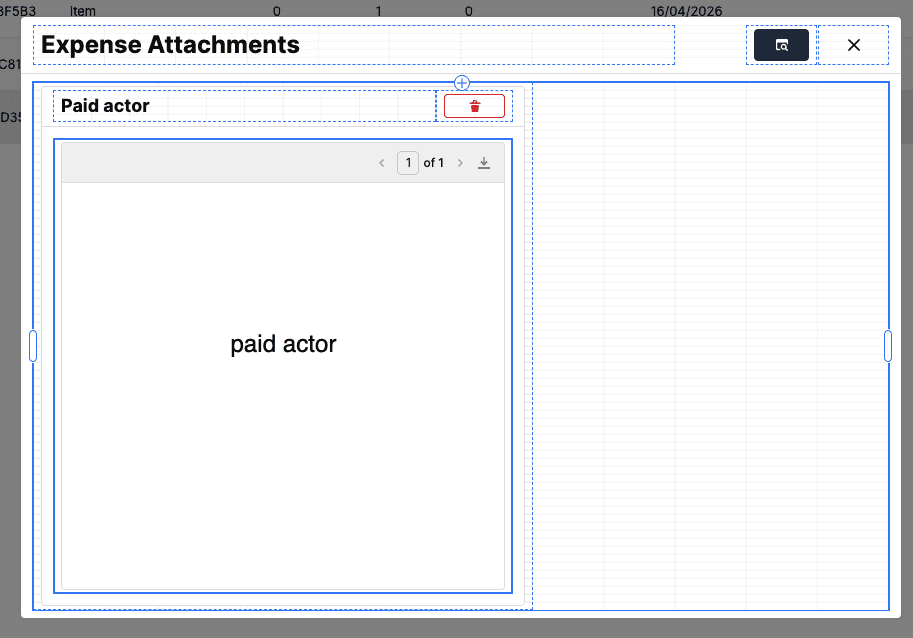
The PDF renders. If it doesn't, the most likely cause is a cached preflight response from before the fix.
How should S3 CORS be configured when Retool has separate production and staging environments?
List each Retool domain explicitly in AllowedOrigins:
Keep this list as narrow as possible. A wildcard ("*") on a private bucket allows cross-origin requests from any domain, and *.retool.com covers every Retool customer's app, not just yours. Explicit origins are always the right call on a bucket serving private documents.
When does an S3 CORS configuration for Retool need PUT or POST in AllowedMethods?
For rendering PDFs and images, GET and HEAD are sufficient.
You only need PUT if the browser is uploading files directly to S3. For example, when using presigned upload URLs initiated from the frontend. If uploads go through your backend or through a Retool resource connection, the browser never makes the upload request, so PUT isn't needed here.
Only add methods you actively use. Each one you include extends the surface area of what cross-origin requests can do on that bucket.
What are the most common mistakes that cause S3 CORS issues to persist in Retool after applying a fix?
Treating the symptom as a signing issue. The signed URL works in the browser, so the signature is fine. CORS is a separate layer. The URL can be perfectly valid and still get blocked by CORS at the fetch level.
Using
"*"as the allowed origin. This removes the origin restriction entirely. On a private bucket serving sensitive documents, explicit domains are the right call.Using
*.retool.comas the allowed origin. This wildcard covers every Retool-hosted app across all customers, not just yours. Always use your specific Retool domain.Skipping the hard refresh. Browsers cache preflight responses for the duration set in
MaxAgeSeconds. If you test immediately after saving the CORS config without a hard refresh, the browser may still be acting on the cached response from before the fix. Ctrl+Shift+R clears this.Editing the wrong bucket. If production and staging use different buckets, confirm which one your Retool app is reading from before you make the change.
What is the workaround for loading private S3 files in Retool when the bucket CORS configuration cannot be modified?
You can proxy the file through your backend: fetch the object server-side, encode it as base64, and return it to Retool as a data URI:
This works because the fetch request originates from your server, not from the browser. CORS doesn't apply to server-to-server requests.
The memory and latency cost scales with document size, which becomes significant with large files or high request volume. For occasional use on small documents it's acceptable, but for high-frequency access or large files, the bucket configuration fix is the right path.
FAQ
Why does a signed S3 URL open correctly in a browser tab but fail to load inside Retool's PDF component?
When you open a signed URL directly in a browser tab, the browser performs a top-level navigation request. CORS rules don't apply to navigation. When Retool's PDF component loads the same URL, it uses fetch() internally. Fetch requests are cross-origin requests and the browser enforces CORS on them. If the S3 bucket's CORS configuration doesn't include Retool's domain in AllowedOrigins, the browser blocks the response before the component receives anything. The PDF component renders nothing and gives no visible error in the UI.
How do I fix a CORS error blocking a signed S3 URL from loading in the Retool PDF component?
Add your specific Retool domain to the CORS configuration on the S3 bucket serving the files. In the AWS Console, go to S3 → your bucket → Permissions → CORS configuration → Edit, and add your Retool domain (e.g. https://yourapp.retool.com or https://app.retool.com) to AllowedOrigins. Save the config and hard-refresh Retool with Ctrl+Shift+R. This is a bucket-level change so no IAM or bucket policy edits are required.
I updated the S3 CORS configuration but Retool's PDF component is still blocked. What should I check?
The most common cause is a cached preflight response. Browsers cache CORS preflight results for the duration set in MaxAgeSeconds. If you test without a hard refresh (Ctrl+Shift+R), the browser may still be acting on the cached response from before the fix. If a hard refresh doesn't resolve it, open DevTools → Network and confirm Access-Control-Allow-Origin is now present in the S3 response. If it's still missing, verify you edited the correct bucket. Production and staging buckets are separate.
Does the S3 CORS fix for Retool's PDF component also apply to image components and other file types?
Any Retool component that loads files using fetch() can be blocked by missing CORS headers. The PDF component is the most common case because PDFs are typically served from private buckets via signed URLs. If you encounter the same symptom with another component type, the URL works in a browser but the component renders nothing, the fix is the same: add Retool's domain to AllowedOrigins on the S3 bucket serving those files.
Is there a workaround for loading private S3 files in Retool when the bucket CORS configuration cannot be modified?
Yes. Fetch the file server-side, encode it as base64, and return it to Retool as a data URI in the format data:application/pdf;base64,.... Because the request originates from your server rather than the browser, CORS enforcement doesn't apply. The memory and latency cost scales with document size, which becomes significant with large files or high request volume. Modifying the bucket CORS configuration is the better long-term solution where access permits it.